232GB drive too small. Me so sad.

OldGunney

Well-known member
Clan
Nov 12, 2018
2,293
2,038
113
77
Kentucky
Tried to play BF6 this morning. But EA says I need to update first. Then it says I didnt have enough room for update. :(

D: Games 232 GB
BF4 68 GB
BF6 154GB

Looks like I need another drive just for BF6. Got an extra one that is the backup for my Windows 10 system. I'll have to reformat it and see if I can use it as drive E:
 
@shiryu_libra , odd that you would suggest that. I got one ADATA SU650, but it only has 6 GB on it. Just threw it in the trash can when I tried poewering it up. Computer would not get past loading screen.

I do have a 250 GB Seagate drive that I am loading BF6 onto right now. Thanks for the suggestion.
 
@shiryu_libra , odd that you would suggest that. I got one ADATA SU650, but it only has 6 GB on it. Just threw it in the trash can when I tried poewering it up. Computer would not get past loading screen.

I do have a 250 GB Seagate drive that I am loading BF6 onto right now. Thanks for the suggestion.
well. i drop that suggestion, for storage only, not for all win setup + games, that's why i used for play

1st drive: nvme (or ssd) for main drive (win system)
2nd drive: nvme (or ssd) for storage (games) 1tb + o better
3rd drive: hdd for long term storage (4 tb or better)
4th drive: black box forgoten stuff (something got in there, but dunno what)

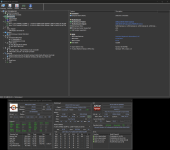
1773973224581.png
 
Oh no Mr Wizard! I have hard drive for laptop installed. Too slow to load BF6.

Seagate ST9250410AS 7200 RPM. :(

Need suggestion for Internal SSD at 250 GB. Not too expensive.
 
Oh no Mr Wizard! I have hard drive for laptop installed. Too slow to load BF6.

Seagate ST9250410AS 7200 RPM. :(

Need suggestion for Internal SSD at 250 GB. Not too expensive.
Try Facebook marketplace, I just got Samsung 990 pro NVMe M.2 PCIe Gen4 2 TB, here in Hawaii for $200 new unopened and it cost $400 on Amazon. You may get lucky. People buy new stuff and never use it so they try to sell it but it takes time and its not easy to sell it so they keep lowering the price.
 
Last edited:
  • Like
Reactions: OldGunney
@shiryu_libra dont think my X570 Aorus will take those.
what make u think i will not? X570 board, can do any gen2 to gen4 nvme,
besides, even when u cant put it in the main m.2 (that's the one below the CPU), u can use the 2nd one

main m.2 is for modern and faster ones, it uses x4 lines directly to the cpu, the workaorunds in this kinda issues of the nvme, is the setup at the bios at advanced, PCIE, change to nvme gen (gen2, gen3, or gen4)

other than that, is all u need, sometimes, depends on the win instalation, like if your using UEFI with secure boot and TPM enable, in those cases, u need to do a clean install

for me, with a gen2/3 nvme, is legacy instalation, with secure boot and CSM disabled
 
what make u think i will not? X570 board, can do any gen2 to gen4 nvme,
besides, even when u cant put it in the main m.2 (that's the one below the CPU), u can use the 2nd one

main m.2 is for modern and faster ones, it uses x4 lines directly to the cpu, the workaorunds in this kinda issues of the nvme, is the setup at the bios at advanced, PCIE, change to nvme gen (gen2, gen3, or gen4)

other than that, is all u need, sometimes, depends on the win instalation, like if your using UEFI with secure boot and TPM enable, in those cases, u need to do a clean install

for me, with a gen2/3 nvme, is legacy instalation, with secure boot and CSM disabled
The Simpsons GIF
 
  • Haha
Reactions: shiryu_libra
what make u think i will not? X570 board, can do any gen2 to gen4 nvme,
besides, even when u cant put it in the main m.2 (that's the one below the CPU), u can use the 2nd one
Shiryu, I did research on the NVMe SSD and I see that there is two slots available for that type. IF I instll one does it show up as a drive E:?

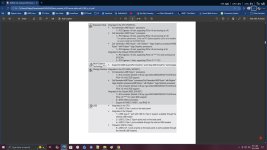
Have no experience with this type. I see that M.2A is visible right under the CPU, but M2B is hidden under the graphics card. Here is photo for my MoBo in regards to those slots.

M.2 slots.jpg
 
Tried to play BF6 this morning. But EA says I need to update first. Then it says I didnt have enough room for update. :(

D: Games 232 GB
BF4 68 GB
BF6 154GB

Looks like I need another drive just for BF6. Got an extra one that is the backup for my Windows 10 system. I'll have to reformat it and see if I can use it as drive E:
Yikes, what a bad time to run out of space during an SSD and Ram crisis.