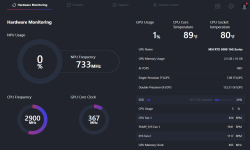
Your pc temps

Nowadays I really dont overvolt like I used to back in the day - especially these new Intel chips with the oxidation issues. If I was overvolting still, something like this would be nice.
 
  • Like
Reactions: Animalllllll
That's cool. Its a good idea especially if you are OC'd or using high intensity programs.
I never used these before when processors were 4 or 6 cores, did not need it. To be honest, i should have bought I5 instead I7 But i got this on for the same price with discount so i took it. Now every new processor has 14 cores and up, Intel does, not sure about AMD, those run hot no matter how many cores lol. Idle temps use to be in 20`s and now are in 30`s and 40`s , AMD slightly more. Also, i started having problems where pc kept shutting down after a while, so i wanted to make sure how hot it gets.
Later i figured that the problem was a shitty cpu water block. After replacing it, the temps came down to normal range again.
 
  • Like
Reactions: whitefish21
Used to play 72 on average with nvidia filters, high settings and a resolution scale of 155%

maybe its one of my reason why my pc died
 
I never used these before when processors were 4 or 6 cores, did not need it. To be honest, i should have bought I5 instead I7 But i got this on for the same price with discount so i took it. Now every new processor has 14 cores and up, Intel does, not sure about AMD, those run hot no matter how many cores lol. Idle temps use to be in 20`s and now are in 30`s and 40`s , AMD slightly more. Also, i started having problems where pc kept shutting down after a while, so i wanted to make sure how hot it gets.
Later i figured that the problem was a shitty cpu water block. After replacing it, the temps came down to normal range again.
I had an i5-4690K with a AIO 120mm fan and it idled in the upper 20C to low 30C.

Now I have a 5800x with a simple air cooler with a single 120mm radiator and it idles about the same.

I went from 4 cores with intel to 8 cores with AMD.

I found AIO water coolers were not worth it unless you went with a 360mm radiator with triple fans. Custom loops are different though.
 
In a previous thread, I discussed my woes with BF6 causing my laptop to freeze / crash, which I ultimately solved with a more aggressive fan control curve. For a while, I was running the Aorus control panel on another monitor to keep an eye on temps, but stopped paying attention once the system was keeping itself running smoothly again.
 
  • Like
Reactions: repeat0ffender
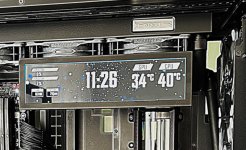
I created a custom information widget to monitor temps, fan and clock speeds using AIDA64 Extreme. I have it showing on the second monitor.

In game my GPU hits between 70 and 80 C.

View attachment 9493
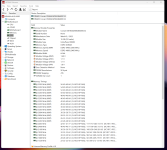
Wow! Look at that slow memory! I've got 3600 MHz memory and can run BF6 just fine. Just wish I could sneak up on you in your super tank, but you got some kind of Gunney sensor running on that rig of yours!
 
Does anyone have the new AMD RYZEN 7 9800X3D? I heard good things about it and wondering if someone have it and it is any good. Its hard to trust reviews these days since everything is about money. Trying to put build for a friend and im trying to get some honest info.

 
Wow! Look at that slow memory! I've got 3600 MHz memory and can run BF6 just fine. Just wish I could sneak up on you in your super tank, but you got some kind of Gunney sensor running on that rig of yours!
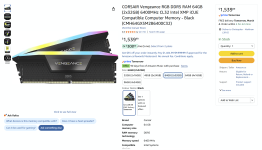
That's per channel, it's actual speed is 4800 (2400x2). I run my ram at stock, non XMP for better stability and lower internal temps for the CPU and Chipsets. With XMP I or II enabled it would be 6400 MHZ and the CPU would be at 5Ghz. 🤪

Screenshot 2026-03-03 104558.png
 
Free Ddr5 Ram GIF